
Power Apps examples, and the record behind them.
Two kinds of proof. The track record is real client work, anonymised because the business has not given permission to be named. The Power Apps examples below it are a demonstration build on sample data, made so you can see exactly what a Castlane system looks like before you pay for one.
Track record
Systems built for a London tuition group, 2023 to 2025. Anonymised.
300 to 1,000
Tutor recruitment
An application that took the tutor base from 300 to 1,000, with acquisition up 130% in six months.
Counted from the tutor records in the system: tutors onboarded, checked and ready to work, not just registrations.
£150,000 a year
Operations
Two weekend schools run by one administrator instead of five staff, saving £150,000 a year.
Headcount from the payroll before and after; the saving annualised from the salaried roles that came off the cost base.
8 staff, hundreds of clients
CRM and billing
The industry’s standard platform replaced with a Power Apps CRM on Dataverse and a billing-enabled client portal on Power Pages, used by eight staff for several hundred clients and tutors.
User and client counts from the system at handover.
The demonstration build: Halden Electrical
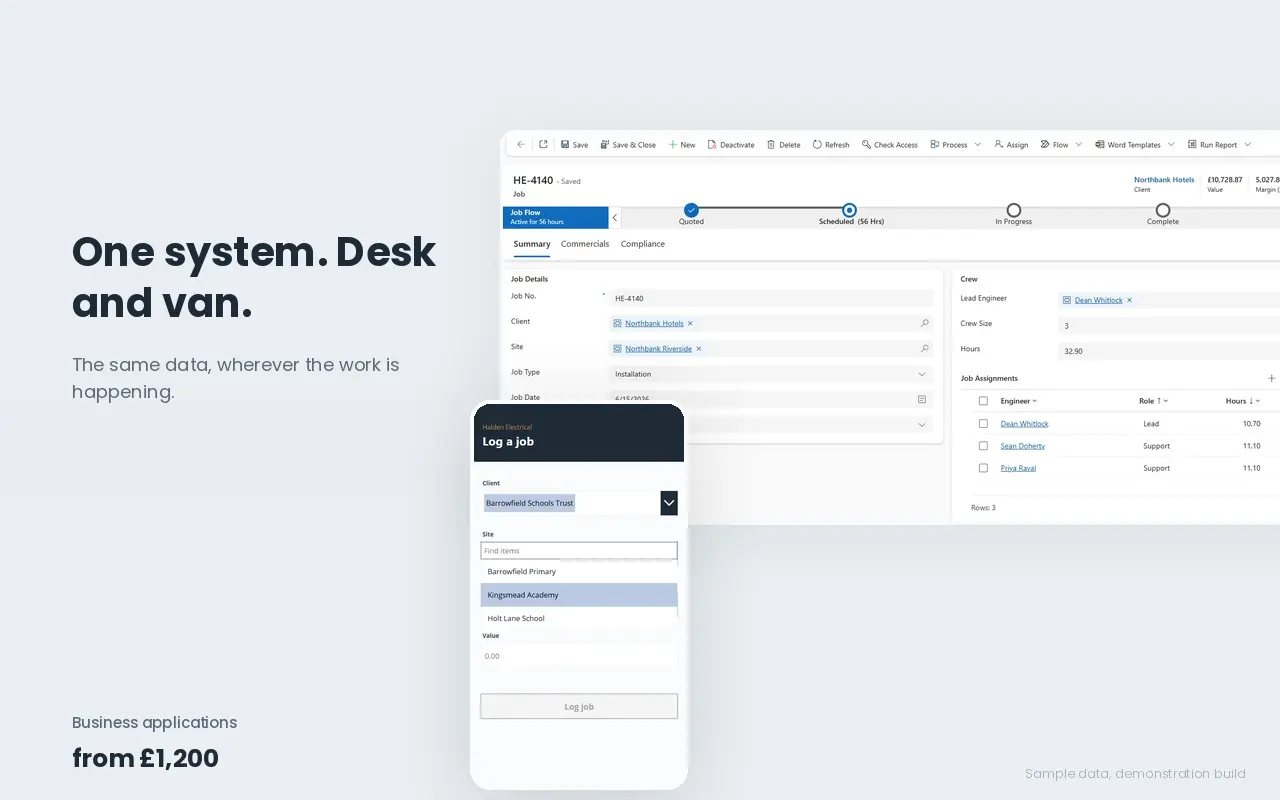
Halden Electrical is a fictional commercial electrical contractor: fourteen engineers, two hundred jobs a month, two and a half million turnover, all run through one spreadsheet. I built the whole system three ways so the same business can be seen as an application, as automation, and as a rebuilt workbook. Every screenshot and video is from that build, on sample data.
Power Apps · Dataverse · Power BI
Job management system
Clients, sites, jobs and engineers in one data model. An office app with four working views and a job record showing the full crew, a phone app for logging jobs from a van, and a margin report by client, job type and engineer. On the day it went live it surfaced 43 completed jobs never invoiced and £132,742 sitting unbilled.
Power Automate
Compliance and invoicing checks
Three flows. A daily certificate chase that emails the lead engineer on each outstanding job, a daily invoicing summary with the count and value in the subject line, and a notification when an engineer is assigned. Each has a failure path, so an error tells someone instead of disappearing into run history.
Excel
The spreadsheet rebuilt as a system
The same six-tab mess rebuilt three ways: one clean sheet, a split workbook with a dashboard and action lists, and a full interface with navigation and a record form that writes changes back. No licences, no logins, and the data layer moves straight across when the business outgrows it.